

Choosing a Pda Barcode Scanner is not just a hardware decision. It affects how quickly staff receive stock, pick orders, and resolve inventory mismatches. Zebra Technologies’ 2024 Warehousing Vision Study found that 91% of surveyed warehouse decision-makers planned to invest in technology to modernize operations by 2028. That figure signals real momentum, but it does not mean every business needs the most expensive device. A scanner that struggles with cracked labels, cold rooms, or a full shift can slow work instead of improving it.
Mark Wheeler, a supply-chain solutions specialist at Zebra Technologies, is an industry voice on warehouse technology. I could not verify a verbatim Wheeler quotation specifically about PDA barcode scanners, so this introduction does not invent one. The practical principle is clear: choose equipment for the work conditions, not just the feature list. Test scan speed on your actual labels. Check battery life across a full shift. Consider screen readability, grip, drop protection, connectivity, and compatibility with your inventory software. Small details matter. A slippery device, an awkward trigger, or a weak wireless connection can frustrate staff by lunchtime.
This guide compares the factors that matter most, from barcode performance to support and total cost of ownership. It also leaves room for a less comfortable question: does your workflow need a PDA, or would a simpler scanner do? The answer depends on the work, and sometimes the first choice is wrong.
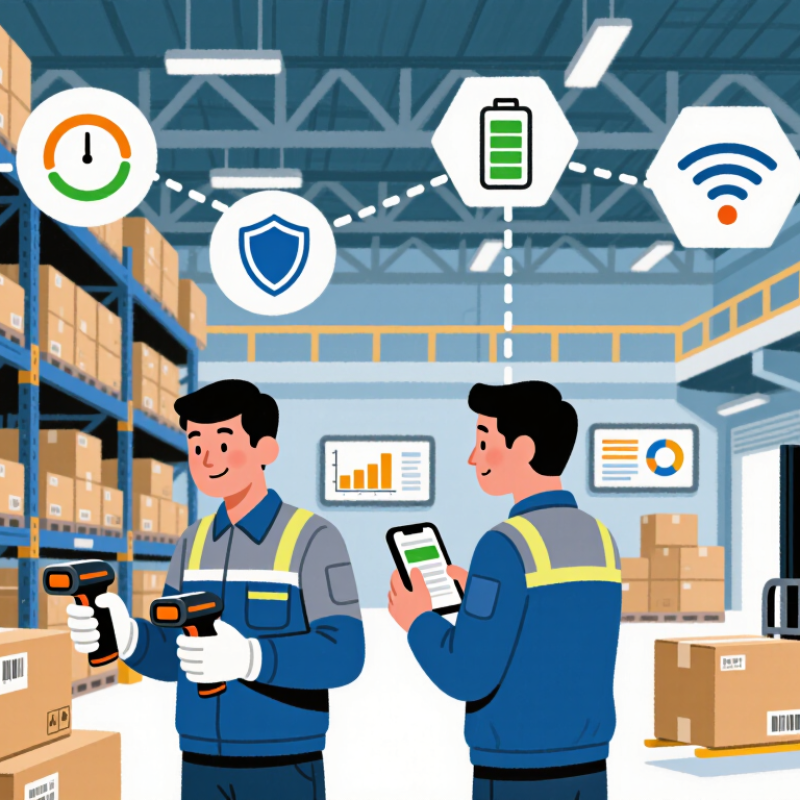
A PDA barcode scanner combines a handheld computer, a barcode reader, and software for capturing work data on site. The screen lets staff check item details immediately, while wireless connections can update inventory or order records. Some units also support touch input, cameras, or RFID, but extra features matter only when daily tasks require them. A bright warehouse aisle and a cramped stockroom can demand very different screen and grip designs.
These devices are useful in receiving, picking, retail stock checks, and field service. A receiver can scan a carton label, compare its quantity with a purchase record, and flag a mismatch before shelving it. Pickers may scan both a bin location and an item to reduce selection errors. In practice, scanning speed is only part of the job. Gloves, long shifts, damaged labels, and weak Wi-Fi can expose problems that a showroom test misses. I would test with actual labels and workflows; it is easy to overlook awkward steps.
Tips: Match the scanner to your environment. Check battery life across a full shift, drop protection, screen readability, and network coverage. Try the keypad or touchscreen with gloves. Confirm that the device works with your inventory software, then pilot it with a small team. A pilot may reveal a flaw. That is useful.

A PDA barcode scanner should fit the workflow, not force workers to change it. Watch a typical shift: staff may scan cartons at waist height, then read small labels on a high shelf. Note scan distance, barcode condition, glove use, and how often workers switch tasks. A device that feels light in a quick test may become tiring after hundreds of scans. Small details matter.
Match the scanner’s capabilities to the setting. A busy loading bay needs a readable screen in bright light, reliable wireless coverage, and a battery that lasts through the shift. Dust, cold storage, and repeated drops also affect durability needs. MHI’s 2024 Annual Industry Report found that 55% of surveyed supply-chain organizations planned to invest in robotics and automation. That shift makes dependable scanning and system integration increasingly important. Still, a polished specification sheet cannot predict every aisle or hand position. Test devices with real workers, real labels, and the actual warehouse system before ordering. Test it live. Ask workers where scanning slows them down; their answers may reveal a problem the trial plan missed.
A PDA barcode scanner should match the codes on your labels, not just the speed of your workflow. One-dimensional barcodes suit basic item identification and are often easy to print. Two-dimensional codes, such as QR codes and Data Matrix, can hold more information in a compact space. That helps when a small label must carry an item ID, batch number, or expiry date. Check which code types your inventory system actually supports. More data is not always better.
Scanning performance depends on print quality, distance, motion, and lighting. A 2D imager can read codes from screens and labels, while the required scan range varies by engine. Test the PDA on real packaging, including wrinkled labels and dim aisles. Watch how quickly staff can aim, trigger, and confirm a scan. Small delays add up. A poor label can still defeat an expensive scanner, and that is easy to overlook during a showroom test.
Connectivity matters after the scan. Wi-Fi supports live updates, while Bluetooth can link a PDA to nearby peripherals; offline storage helps during coverage gaps. The 2024 MHI Annual Industry Report found that 55% of respondents were increasing investment in supply-chain innovation. That signals growing interest in connected operations, not a guarantee that every site needs constant connectivity. Check roaming behavior, system compatibility, and how queued records sync after a drop. Ask staff to test those details on the actual warehouse floor.
A PDA barcode scanner must survive a full shift, not just a showroom demo. Check its ingress-protection rating, drop-test specifications, and screen readability under warehouse lighting. Battery claims need real-world testing: continuous scanning, wireless connection, and a bright display can drain power faster than expected. Test it loaded. One spare battery may matter more than an impressive maximum-runtime figure.
Ergonomics shows up in small details. Hold the device with work gloves, scan from a shelf, then repeat the motion for several minutes. Notice wrist angle, trigger pressure, and whether the scanner feels top-heavy. The U.S. Bureau of Labor Statistics reported that musculoskeletal disorders accounted for 27% of workplace cases involving days away from work in 2023. That figure covers many kinds of jobs, not scanner use alone, but it underscores why repetitive handling deserves attention.
Software compatibility can become the quiet bottleneck. Confirm that the scanner supports your warehouse system, operating system, wireless network, and barcode formats. Ask how updates are managed and what happens when a connection drops. MHI’s 2024 Annual Industry Report found that 55% of surveyed supply-chain professionals planned to invest in robotics and automation within five years. As workflows evolve, a scanner that integrates cleanly can reduce manual workarounds. Still, compatibility on paper is not proof; test it on your actual network, with real users and real tasks.
| Evaluation area | What to check | Practical selection guidance | Why it matters |
|---|---|---|---|
| Dust and water protection | Check the enclosure’s published IP rating under IEC 60529. | IP54 provides limited dust ingress protection and protection against water splashes. IP65 is dust-tight and protected against water jets. IP67 is dust-tight and rated for temporary immersion in up to 1 m of water for up to 30 minutes under specified test conditions. | Match the rating to the actual exposure in stores, warehouses, loading areas, or outdoor work. |
| Drop resistance | Review the stated drop height, surface, number of drops, device configuration, and test procedure. | Compare results only when the test conditions are comparable. Include any protective boot or case required to achieve the stated rating. | A drop-test figure without its conditions does not show how the device will perform in your workplace. |
| Battery and shift coverage | Check battery capacity, replaceability, charging time, and runtime under your scanning, screen, wireless, and temperature conditions. | Run a pilot that covers a complete work shift, then confirm there is enough reserve for peak workloads. Consider a spare or hot-swappable battery if uninterrupted operation is essential. | Advertised runtime varies with settings and usage, so a real-workload test is more useful than comparing capacity alone. |
| Ergonomics and handling | Compare the device’s weight, grip, trigger position, balance, screen readability, and use with gloves. | Have representative staff test the scanner during common tasks, using the intended battery, case, and accessories. Check comfort for both left- and right-handed users where relevant. | A comfortable, well-balanced device can reduce handling difficulty during repeated scanning. |
| Barcode reading | Confirm support for the barcode symbologies, label sizes, scan distances, and damaged or poorly printed labels found in your operation. | Test your actual labels, including the smallest codes and the longest required scan distance. Verify both 1D and 2D formats if your workflow uses them. | A scanner that cannot reliably read your real labels can slow workflows and increase manual corrections. |
| Operating system and software | Verify the supported operating system version, application requirements, security-update policy, SDK or API availability, and device-management options. | Test your business application on the exact device configuration. Confirm how applications are installed, updated, monitored, and supported across the device fleet. | Compatibility includes ongoing support and management, not just whether an application opens during a demonstration. |
| Wireless connectivity | Check supported Wi-Fi bands and security settings, cellular options if needed, Bluetooth requirements, and roaming behavior. | Test coverage and application performance throughout the actual work area, including aisles, loading bays, and outdoor zones where applicable. | Hardware specifications alone cannot guarantee reliable connectivity in a particular building or network. |
| Total cost and support | Include batteries, charging cradles, protective accessories, software, warranties, repair options, and expected support period. | Compare the full cost over the expected service life, rather than the device purchase price alone. | Accessories, downtime, and maintenance can materially affect the cost of running a scanner fleet. |
Note: Protection ratings describe performance under defined laboratory test conditions; they do not guarantee protection in every real-world situation. Validate shortlisted devices with your own labels, applications, network, and work environment.
A PDA barcode scanner should fit the work you have today without making tomorrow’s growth expensive. Start with a realistic budget that includes more than the purchase price. Add charging docks, protective cases, spare batteries, setup time, and possible repairs. A low-cost unit can become costly if workers wait for charging or scan codes twice. Small details matter.
Match the device to your daily tasks. In a busy stockroom, check whether the scanner reads worn labels and works comfortably through a full shift. If staff use gloves, test the buttons before ordering several units. Also consider your software and wireless coverage. A scanner that cannot connect reliably in the back aisle may slow down an otherwise smooth workflow. Test it there.
Plan for gradual expansion. Ask whether you can add devices without replacing your current setup, and check the cost of compatible accessories. A common planning mistake is buying only for peak demand; extra units may sit unused for months. But buying too few can create bottlenecks when orders rise. Pilot a small number with the people who will use them. Their feedback may reveal awkward grips or confusing screens that a product sheet misses. Budget forecasts are imperfect, so leave room for replacement and training.
Compare the priorities that matter when balancing your current budget with future growth plans.
The scores are an illustrative planning framework, not product test results or market measurements. Rate each priority for your operation, then check device specifications, total ownership costs, and compatibility with your software before purchasing.

We have over 30 years of experience in designing complete hydraulic systems, repairs and distribution of fluid power equipment and parts.
FOLLOW US ON :
Address:
4020 SE 45th CT.
Ocala, FL 34480
Phone No:
Email:
sales@cunninghamfluidpower.com