

How to Choose an Embedded Industrial Computer?

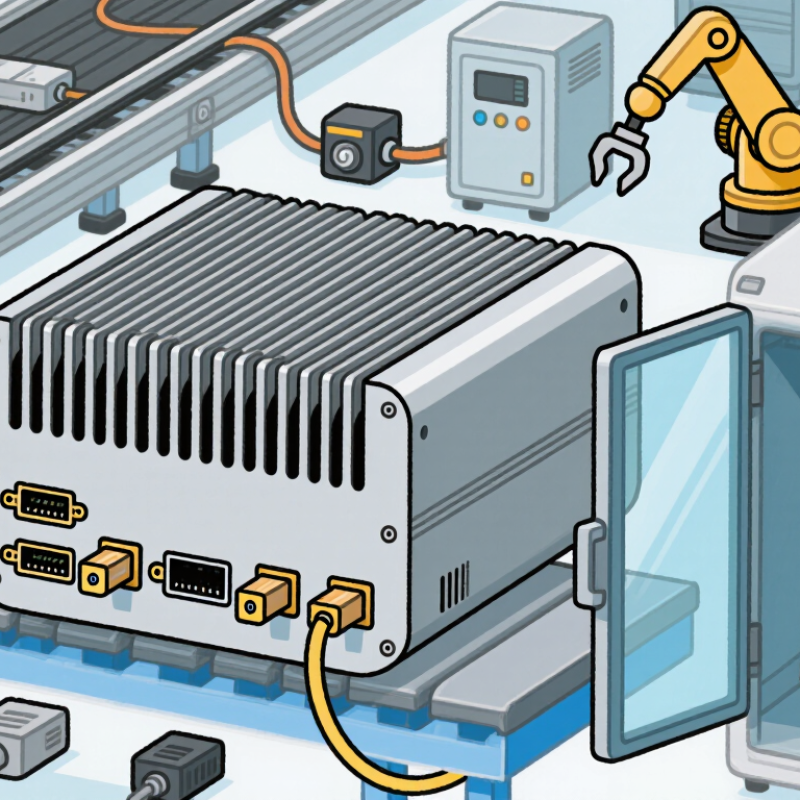
Choosing an Embedded Industrial Computer is not a box-checking exercise. The right model must fit the machine, its operating environment, and the cost of downtime. A controller mounted beside a vibrating conveyor faces different demands from one installed inside a climate-controlled cabinet. Small details matter: connector locks, airflow, cable reach, and access for maintenance.

Embedded-systems engineer Jack Ganssle is known for emphasizing disciplined testing. A practical paraphrase of that approach is: “Verify the design under real operating conditions, not just on the bench.” This is a guiding principle for comparing processors, memory, I/O, expansion options, and operating-system support. Datasheets help, but they cannot reveal every integration problem. A short test with the actual sensors and peripherals can expose an unexpected bottleneck.

The sections that follow explain how to define workload and environmental requirements, compare hardware specifications, assess connectivity, and review lifecycle support. They also consider thermal limits, enclosure design, certifications, and vendor assistance. No single specification determines the best choice. A fanless unit may simplify maintenance, yet still need careful thermal testing in a sealed cabinet. Buyers should document trade-offs and verify claims before deployment. That takes time. It can prevent costly surprises later.
How to Choose an Embedded Industrial Computer?

Define the Application Requirements and Operating Conditions

Begin with the machine’s actual job, not a processor shortlist. Record its software, sensor count, network interfaces, response time, and expected service life. Note whether it controls motion, reads cameras, or logs temperature continuously. These tasks demand different processing and I/O capacity. The International Federation of Robotics reported 4,281,585 industrial robots operating in factories worldwide in 2023, up 10% from 2022 (World Robotics 2024). That growth signals increasingly connected production floors, but it does not define your site’s needs. Small details matter.

Measure the installation environment at the computer’s mounting point. Record seasonal temperature extremes, vibration, dust, moisture, cleaning methods, electrical noise, and available space. Check startup temperature too; a unit may run reliably when warm yet fail after a cold start. Use IEC 60068 environmental test methods to frame temperature and vibration checks, then confirm the required test levels for your equipment. NIST’s Guide to Operational Technology Security, SP 800-82 Rev. 3, stresses that OT safeguards must account for performance, reliability, and safety constraints. Include operating system, security updates, remote access, and recovery needs in the specification. A checklist can still miss a brief voltage dip or a blocked airflow path. Test the real installation, not just the lab setup.

Assess Environmental Durability and Installation Constraints

An embedded industrial computer must tolerate the conditions around it, not just meet a processor or memory requirement. Record the enclosure’s expected temperature range, humidity, dust exposure, and vibration before comparing specifications. A cabinet near a motor may experience more vibration than one mounted inside a climate-controlled room. Small differences matter.

Check the computer’s operating temperature against the actual installation site, including heat from nearby drives and power supplies. A fanless design avoids a moving part, but it still needs a path to shed heat. Dust can collect around vents and connectors. Heat matters. Leave clearance around the chassis, and do not assume a metal cabinet will keep electronics cool. Measure the cabinet temperature during a representative operating cycle if possible.

Installation constraints can narrow the choices quickly. Confirm mounting points, available depth, cable bend space, and access to ports before ordering. A unit may fit on paper yet block a service panel once its cables are attached. Measure twice. Also check whether the mounting surface can handle the computer’s weight and vibration. One detail is easy to miss: maintenance staff need room to remove the unit without dismantling adjacent equipment. I would revisit that layout before finalizing the enclosure; it can feel overly cautious, but cramped installations are difficult to service.

How to Choose an Embedded Industrial Computer: Environmental Durability and Installation Constraints

Compare the dust and water protection digits of common IP ratings defined by IEC 60529.

IP54 is dust-protected and protected against splashing water; IP65 is dust-tight and protected against water jets; IP67 is dust-tight and protected against temporary immersion under specified test conditions. IP digits are protection levels, not a linear measure of durability. Before selection, also verify operating temperature, vibration limits, mounting method, available cabinet space, airflow, cable bend radius, and connector access against the computer’s datasheet and your installation conditions.

Compare Processing, Memory, and Storage Specifications

How to Choose an Embedded Industrial Computer?

Compare Processing, Memory, and Storage Specifications

Start with the work the computer must perform: control a machine, inspect images, or collect sensor data. CPU core count alone can mislead. A vision workload may need strong parallel processing, while a control task may depend more on predictable response times. IDC’s 2024 Worldwide Edge Spending Guide forecast global edge-computing spending at $232 billion in 2024, up 15.4% from 2023. That signals growing edge activity, not a universal hardware recipe. Treat it as context, not a sizing rule.

Memory needs depend on the operating system, applications, and peak workload running together. Leave headroom for updates and future software; a system that barely fits today can become sluggish tomorrow. Measure memory use during real operation, including busy shifts. Small detail, big consequence. I would still verify the result on the actual application, because paper specifications rarely capture every workload spike.

For storage, compare usable capacity, write endurance, and access speed—not just the advertised drive size. Continuous logging can create steady writes, while image capture may produce short bursts of large files. Check the drive’s endurance rating against expected daily writes, and consider whether logs need local retention. Keep some space free for temporary files and maintenance. A practical test is to run the intended workload while recording CPU load, memory use, and storage writes; then review the bottlenecks before choosing a configuration.

Verify I/O, Connectivity, and Expansion Compatibility

An embedded industrial computer should match the machine’s signals, not just its headline specifications. List every device it must connect to: sensors, scanners, drives, and operator panels. Check the required input and output types, voltage levels, isolation, and connector style. A 24-volt digital input is not interchangeable with an analog channel. Small details matter.

Then verify how those connections work together. Count Ethernet, USB, and serial ports, and confirm protocols such as RS-485 if existing equipment depends on them. Check pinouts and cable access, especially inside a crowded cabinet. A port count can look generous on paper, yet leave no usable connection after commissioning. I have to remind myself to check the actual wiring plan, not just the product table.

Expansion needs the same scrutiny. Confirm that PCIe or M.2 slots support the cards or storage you expect, and that cooling and clearance remain adequate. Ask whether adding a card disables another interface or affects power needs. A spare slot can seem like future capacity, but that assumption is easy to get wrong. Verify operating-system drivers and simultaneous interface use before installation; a short bench test with the real devices can reveal compatibility gaps early.

How to Choose an Embedded Industrial Computer? - Verify I/O, Connectivity, and Expansion Compatibility
Selection Dimension What to Verify Typical Options or Facts Compatibility Check
Digital I/O Number of inputs and outputs, signal voltage, isolation, and whether outputs are sinking or sourcing. Industrial signals commonly use 24 V DC; logic-level GPIO may use lower voltages and is not automatically 24 V tolerant. Match each channel to the field device and wiring scheme. Confirm isolation and current ratings before connecting loads.
Analog I/O Required input or output ranges, channel count, resolution, and sampling rate. Common instrumentation ranges include 0–10 V and 4–20 mA; supported ranges vary by module. Check sensor and actuator ranges, current-loop wiring, accuracy requirements, and whether signal conditioning is needed.
Serial Interfaces Interface type, port count, connector, baud rate, and whether ports can be configured for the required mode. RS-232 is generally used for point-to-point links; RS-485 supports differential multi-drop networks when the system is designed for it. Confirm device pinout, electrical standard, termination and biasing needs, and software support. A connector alone does not identify the interface.
Ethernet Port count, link speed, connector, network isolation, and any protocol or redundancy requirements. Industrial computers may offer 10/100 or 10/100/1000 Mbps Ethernet; the negotiated link depends on the connected equipment and network. Check cable and switch compatibility, available IP addresses, network separation, and whether the required industrial protocol is supported by the hardware and software.
USB and Display Connector type, USB generation, available power, display outputs, resolution, and simultaneous-display support. USB-C connector shape does not by itself guarantee data rate, video output, or power delivery; capabilities depend on the port implementation. Match the required cable, display input, resolution, refresh rate, and device power draw. Verify which functions are available on each port.
Expansion Slots Slot type, size, keying, interface, lane count, and available space for the expansion card. M.2 modules use different key configurations and interfaces; PCIe cards also require a compatible slot and sufficient lanes. Check the exact module specification, supported bus, mounting dimensions, antenna connections, and any shared-slot restrictions.
Storage and Memory Expansion Drive interface, form factor, capacity support, memory type, and whether components are replaceable. M.2 storage can use SATA or NVMe over PCIe; an M.2 connector does not guarantee support for both. Memory type and maximum capacity are platform-specific. Confirm the system supports the intended drive protocol, module dimensions, memory specification, and required operating-system drivers.
Power, Mounting, and Environment Input voltage range, connector polarity, mounting method, operating temperature, vibration, and enclosure protection. DIN-rail and panel mounting are common industrial installation options; voltage range and environmental ratings differ by system. Verify the power supply against the documented input range and startup demand. Check installation space, airflow, temperature limits, and environmental conditions.

Review Power, Certifications, Lifecycle, and Support

How to Choose an Embedded Industrial Computer?

Power, certifications, lifecycle, and support deserve as much attention as processor speed. Check the input voltage range, startup current, and tolerance for brief power dips. A unit may run well on a bench but behave differently inside a sealed cabinet. Heat adds up. Confirm its operating temperature range under your actual workload, not just idle conditions. It is easy to overvalue peak speed.

Certifications should match the installation environment and intended use. Review relevant safety and electromagnetic compatibility documentation, and verify the exact computer configuration is covered. For lifecycle planning, ask how long the model and key components are expected to remain available. Find out how product changes are announced and whether replacement parts, firmware updates, and repair services will be accessible. Support matters most when a fault occurs: check response hours and what diagnostic information technicians need. Small details matter.

Tips: Test a sample unit with your application, enclosure, and power supply. Record temperatures and startup behavior. Ask for lifecycle and support commitments in writing. I would still leave room for uncertainty; real installations can expose assumptions that a lab test misses.

Share by: