Why Are CCTV Camera Accessories Important?
A CCTV system is only as dependable as the parts that support it. Cctv Camera Accessories include mounting brackets, weatherproof housings, cables, power supplies, connectors, and storage components. Each has a practical job. A sturdy bracket keeps a camera steady above a doorway. A sealed junction box can help protect connections from rain and dust. The right cable reduces avoidable signal or power problems over a long run.
These details matter most when conditions are less than ideal. Outdoor cameras face wind, temperature changes, and moisture. Indoor units may need careful placement to avoid glare from windows or ceiling lights. In real installations, a few centimetres of movement can change what appears in the frame. Small choices add up. A compatible power supply, secure mount, and properly rated enclosure can support clearer, more consistent operation.
Accessories also affect maintenance. Accessible connectors and neatly routed cables make faults easier to inspect, while suitable storage helps preserve useful footage. Compatibility should be checked against the camera’s specifications, including connector type, voltage, weight, and environmental rating. Product labels can be confusing, so verify details with the manufacturer when unsure.
Not every accessory improves a system. Some add cost without solving a real need. That is easy to overlook. A practical setup starts with the site, not a shopping list. Still, planning is imperfect: buildings change, and weather exposes weaknesses over time. Understanding what each accessory does helps owners make informed choices, maintain equipment responsibly, and build a CCTV system suited to its actual surroundings.
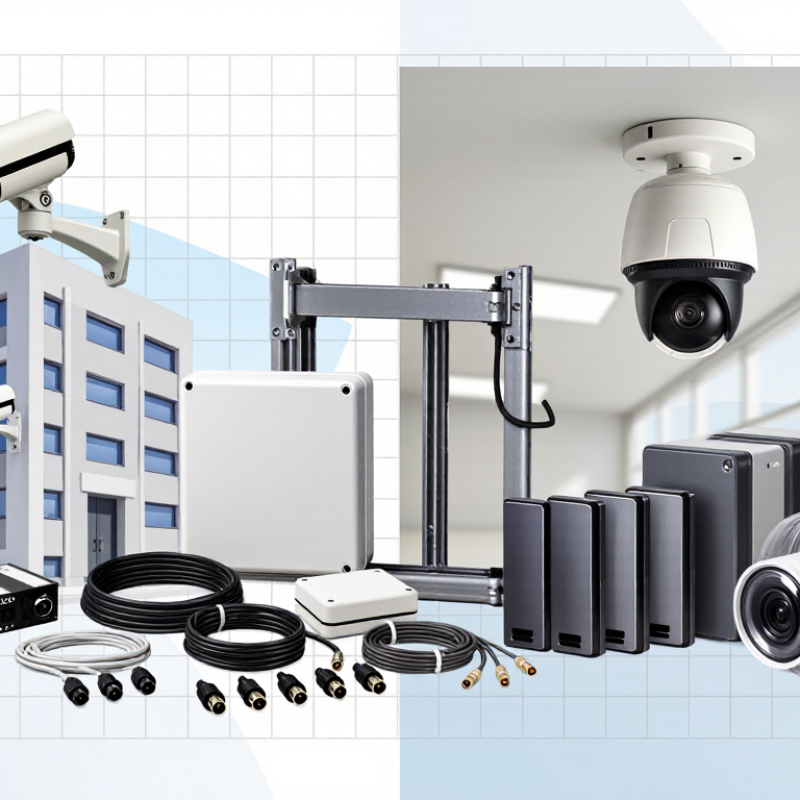
Types of Accessories Used in CCTV Systems
Why Are CCTV Camera Accessories Important?
Types of Accessories Used in CCTV Systems
CCTV accessories help cameras work reliably in real spaces, not just on paper. Mounting brackets and poles set the viewing angle and keep equipment steady. A loose bracket can make a clear image useless when wind or vibration shifts the camera. Small parts matter.
Weatherproof housings protect cameras from rain, dust, and temperature changes. Junction boxes keep cable connections enclosed and easier to inspect. Indoors, a box may still help prevent exposed connectors from being knocked loose. The right housing depends on the camera and its location; extra protection is not always better if it blocks airflow or access.
Power supplies, network switches, cables, and connectors carry power and video signals between devices. For a network camera, a PoE switch can deliver both through one Ethernet cable, reducing clutter. Cable length, outdoor exposure, and power demand should be checked before installation. A weak connection can cause intermittent video that is hard to diagnose. Not every site agrees. In practice, accessory lists can look complete while overlooking small details, such as a fitting that does not match the cable diameter. Choosing compatible parts, then checking connections and image stability, helps the system perform as intended.
How Accessories Enable Proper Camera Installation
A camera can have excellent resolution and still produce unusable footage if its mount vibrates or points at the wrong angle. A rigid wall bracket helps keep framing stable, while a junction box protects cable connections from moisture and accidental knocks.
Small detail. A sunshield can reduce glare, but it must not block the lens or infrared illuminators.
Cable choice and routing also shape a reliable installation. IEEE 802.3 Ethernet standards set a 100-meter channel limit for standard copper links, so camera placement should account for cable distance. Beyond that range, installers may need a different network design.
Weather-rated cable glands, conduit, and correctly rated enclosures help keep water away from exposed connections. NEMA 250 enclosure classifications provide a recognized way to specify protection against environmental conditions; the rating must match the actual site.
Mounting height matters, too. A camera placed under a deep eave may lose useful coverage, while a nearby reflective surface can wash out night images. Accessories should support the view, not merely tidy the wiring.
On site, a neat cable run can still hide a weak seal or an awkward service position. That is easy to miss during planning. Proper installation means checking the bracket, seal, cable path, and final image together.
How Accessories Improve Image Quality and Coverage
CCTV accessories shape what a camera can actually capture. A suitable lens sets the scene’s width and detail, while a stable mount prevents small movements from blurring distant objects. IEC 62676-4 uses DORI pixel-density guidance: about 25 pixels per metre for detection, 62.5 for observation, 125 for recognition, and 250 for identification. These are planning benchmarks, not guarantees. A wide lens may cover a loading bay, yet leave faces too small to identify. Measure the target area before choosing a lens.
Lighting and placement matter just as much. An infrared illuminator can reveal a dark doorway, but shiny signs or nearby walls may reflect light into the lens. A hood can reduce rain and direct glare; a weather-rated enclosure helps protect equipment outdoors. Small adjustments count. NIST’s Face Recognition Vendor Test research examines how image quality affects recognition performance, reinforcing that a clear, well-framed image is not automatic. In practice, accessories can improve coverage, but they cannot fix every blind spot. I would test the view at night, then check it again after installation. One missed corner is easy to overlook.
How Accessories Support Power, Connectivity, and Reliability
CCTV camera accessories may seem minor, but they help a system stay powered, connected, and dependable. A correctly rated power supply can prevent restarts when a camera draws more current at night. Weather-resistant connectors help keep moisture out of outdoor cable joints. Even a suitable mounting bracket matters: a camera that shifts in wind may no longer cover the doorway clearly. Small parts matter.
Network cables, connectors, and compatible switches support a steady video connection. Poorly seated plugs can cause intermittent dropouts that are easy to mistake for camera faults. Surge protection may also help shield connected equipment from voltage spikes, though it cannot prevent every electrical problem. In practice, neat cable routing makes inspection easier, but it is not always done well during rushed installations.
Tips: Check voltage, current, connector type, and environmental ratings before choosing accessories. Keep power and data connections secure, label cable ends, and inspect outdoor seals after installation. If a camera repeatedly disconnects, test the cable and power source before replacing the camera. A quick check can save time.
Why CCTV Camera Accessories Matter
Power supplies, cabling, connectors, and weatherproof enclosures help CCTV cameras receive stable power and maintain dependable connections.
Power example: This chart estimates voltage drop on a 12 V circuit carrying 0.5 A through 18 AWG copper cable. It uses a copper resistance of 20.95 Ω/km at 20°C and includes the outgoing and return cable path. Longer runs reduce the voltage available at the camera; real results also depend on connectors, temperature, and cable condition. Choosing suitable power accessories and checking the voltage at the camera can help prevent unreliable operation.
How to Choose Accessories for a CCTV System
Choose accessories around the site, not just the camera. For an outdoor wall, check that the junction box and cable glands match the camera’s weather rating. A solid mount should resist vibration and keep the lens aimed where it needs to be.
Indoors, a ceiling bracket may be enough, but check the viewing angle before fixing it in place. Small placement errors can leave a doorway or loading area outside the frame.
For networked cameras, calculate the PoE switch’s available power budget, including startup demand and future cameras. Confirm cable length, bandwidth, and connector compatibility against the equipment specifications. Add surge protection where electrical exposure is a concern, and choose storage capacity based on resolution, frame rate, and retention needs.
Verizon’s 2024 Data Breach Investigations Report found that 68% of breaches involved a non-malicious human element. The report is not specific to CCTV, but it supports a practical point: clear port labels and documented settings can reduce avoidable setup mistakes.
It is easy to overbuy accessories; I would check the site conditions and datasheets first, then test the full setup before final mounting.